
Most project management roundups try to compare thirty features across ten tools, and you end up with a spreadsheet instead of a decision. A small remote team does not need thirty features. It needs two things: a tool new hires can actually learn, and a price that does not punish you for growing past five people. Everything else is noise.
This comparison filters for exactly those two things. No tie at the end, just a clear pick depending on what kind of team you run.
What a small remote team actually needs from project management software
When everyone sits in the same office, a messy task list gets fixed in a hallway conversation. Distributed teams do not get that hallway. Whatever tool you pick has to carry the context that used to live in casual chat: who owns a task, what “done” means, and where to find the file that goes with it.

That means the tool has to work without someone standing over a new hire explaining it. If training takes a week, you have picked the wrong tool for a team this size. You also need the tool to hold up across time zones, since a distributed team of 2 to 15 people is rarely all awake at once. And you need pricing that does not quietly double the day your sixth person joins.
Features like Gantt charts, custom dashboards, and workflow automations matter more as a team grows past fifteen or twenty. Below that size, they are usually overhead. The teams that struggle with project management tools are not the ones missing a feature. They are the ones where half the team never opened the tool in the first place.
The real cost of free tiers once your team grows past 5 people
Free tiers are built to get you in the door, and most of them do a genuinely good job at it for a team of two or three. The trouble starts when you add people. Several popular tools cap free plans at a set number of seats, a set number of active projects, or a limit on file storage and automation runs, and small teams often hit that ceiling right around the point where the tool has become part of daily work.
That is the moment the pricing conversation gets real. You are no longer comparing free versus paid. You are comparing what each tool charges per seat, per month, once you are past the free allowance, and whether that plan actually includes the features your team was already relying on, like guest access, unlimited boards, or reporting.
Check three things before you commit to any tool at this stage:
-
Whether the price is per seat or a flat team rate, since per-seat pricing scales directly with headcount
-
Whether features you are using on the free tier, like automations or dashboards, require an upgrade to keep using at volume
-
Whether annual billing is required to get the advertised price, since the monthly rate is often noticeably higher
None of this means avoid free tiers. It means read the pricing page for the plan one tier above where you are now, not just the one you are on, because that is the plan you will be forced onto within a year.
Trello versus Asana versus ClickUp: which one your team learns in a day
These three get compared constantly, and the honest answer is that they are not really competing on features. They are competing on how much a new hire needs to think before they can use the thing.
Trello is boards and cards, and that is nearly the whole interface. A new hire can look at a Trello board for two minutes and understand what a card moving from “To Do” to “Done” means, with no onboarding required. The tradeoff is that Trello has very little structure underneath, so teams that need to track dependencies between tasks, or run recurring processes, tend to outgrow it. For a team of 2 to 5 people doing fairly linear work, Trello is usually the fastest to adopt.
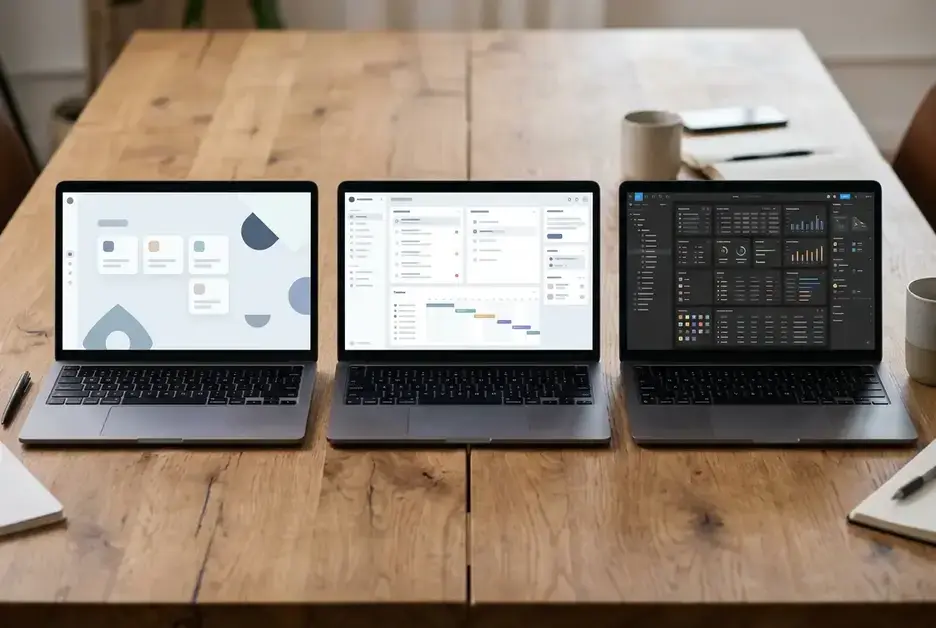
Asana sits a step up in structure. It still uses boards if you want them, but it also gives you lists, timelines, and task dependencies without much extra complexity. Most people pick it up within a day, and the extra structure pays off once a team is juggling more than one active project at a time. It is a reasonable middle choice for teams of 5 to 10 who have started to feel the limits of a pure Trello board but do not want a steep learning curve.
ClickUp has by far the most features of the three: custom fields, multiple view types, built-in docs, time tracking, and more. That power comes at a real cost in onboarding time. New hires regularly need a walkthrough, not just a quick look, before they understand where things live. ClickUp rewards teams willing to invest a few hours in setup and training, and it is a poor fit for a team that wants someone productive on day one with zero explanation.
If speed of adoption is the deciding factor, the order from fastest to slowest to learn is Trello, then Asana, then ClickUp. The order from most to least powerful runs the other way.
Notion and monday.com for teams that also need docs and reporting in one place
Some small teams do not just need tasks tracked. They need a shared home for documentation, meeting notes, and a wiki, alongside the task board, so people are not hunting across four different apps to find a decision someone made.

Notion handles this well because the task board and the documentation live in the same workspace, built from the same flexible blocks. A new hire does have to learn Notion’s building-block approach, which takes longer than learning a Trello board, but once they get it, they can build their own pages without help. Teams that write a lot, whether that is internal documentation, client-facing notes, or process guides, tend to get the most value out of Notion, because the project board and the writing are not separate systems.
monday.com leans harder into reporting and automation out of the box. Its dashboards are easier to build without any technical setup than Notion’s, and it is a strong fit for a team lead who needs to show a client or an owner a visual status report without building it from scratch. The learning curve sits closer to ClickUp’s than Trello’s, because the interface has a lot of configuration options visible at once, but the automation and reporting are usually ready to use faster than in Notion.
Choose Notion if your team writes more than it reports. Choose monday.com if your team reports more than it writes.
Async features that matter more than real time chat for distributed teams
Real time chat gets a lot of attention when teams pick tools, but a distributed team spread across time zones gets far more value from features that work when nobody is online at the same moment.

Look for these specifically:
-
Comment threads on tasks, so a question and its answer stay attached to the work instead of scrolling away in a chat channel
-
Due dates with time zone awareness, so “end of day” means the assignee’s end of day, not yours
-
File attachments directly on tasks, so the document someone needs is sitting next to the task, not buried in a shared drive
-
Activity logs, so a team member coming online eight hours later can see what changed without asking
Trello, Asana, ClickUp, Notion, and monday.com all support comment threads and file attachments on tasks, so that bar is generally cleared across the board. Where they differ more is time zone handling on due dates and the depth of activity logging, and that is worth testing directly with your own team’s spread before you commit, since the way it behaves in a demo is not always how it behaves with six people across four time zones.
A tool with excellent real time chat but weak async task comments will push your team back toward email and separate chat apps for anything that needs real detail, which defeats the purpose of having the tool at all.
Picking the right tool for a team of 3 versus a team of 15
Team size changes the right answer more than any feature list does.

For a team of 2 to 5, prioritize speed of adoption above everything else. Trello is usually the strongest fit, and Asana is a reasonable step up if you already know you will add a couple more projects soon. At this size, a tool nobody has to be trained on is worth more than a tool with twice the features.
For a team of 6 to 10, the free tier limits start to bite, and this is where it is worth deciding between structure and documentation. Asana or monday.com suit teams that are mostly managing tasks and want reporting. Notion suits teams that are producing a lot of written material alongside the task work.
For a team of 11 to 15, ClickUp’s extra structure starts to earn its keep, since you likely have multiple workstreams running at once and need dependencies tracked properly. Budget time for onboarding, since this is the one tool on the list that genuinely needs it, and build that cost into your decision rather than discovering it after you have already signed the annual contract.
Across all three sizes, the tool that wins is the one your whole team actually opens every day, not the one with the longest feature list on its pricing page.
If you are building out your remote team’s tech stack beyond project management, check out Essential Technology Skills For Remote Workers for the other tools worth setting up first.